

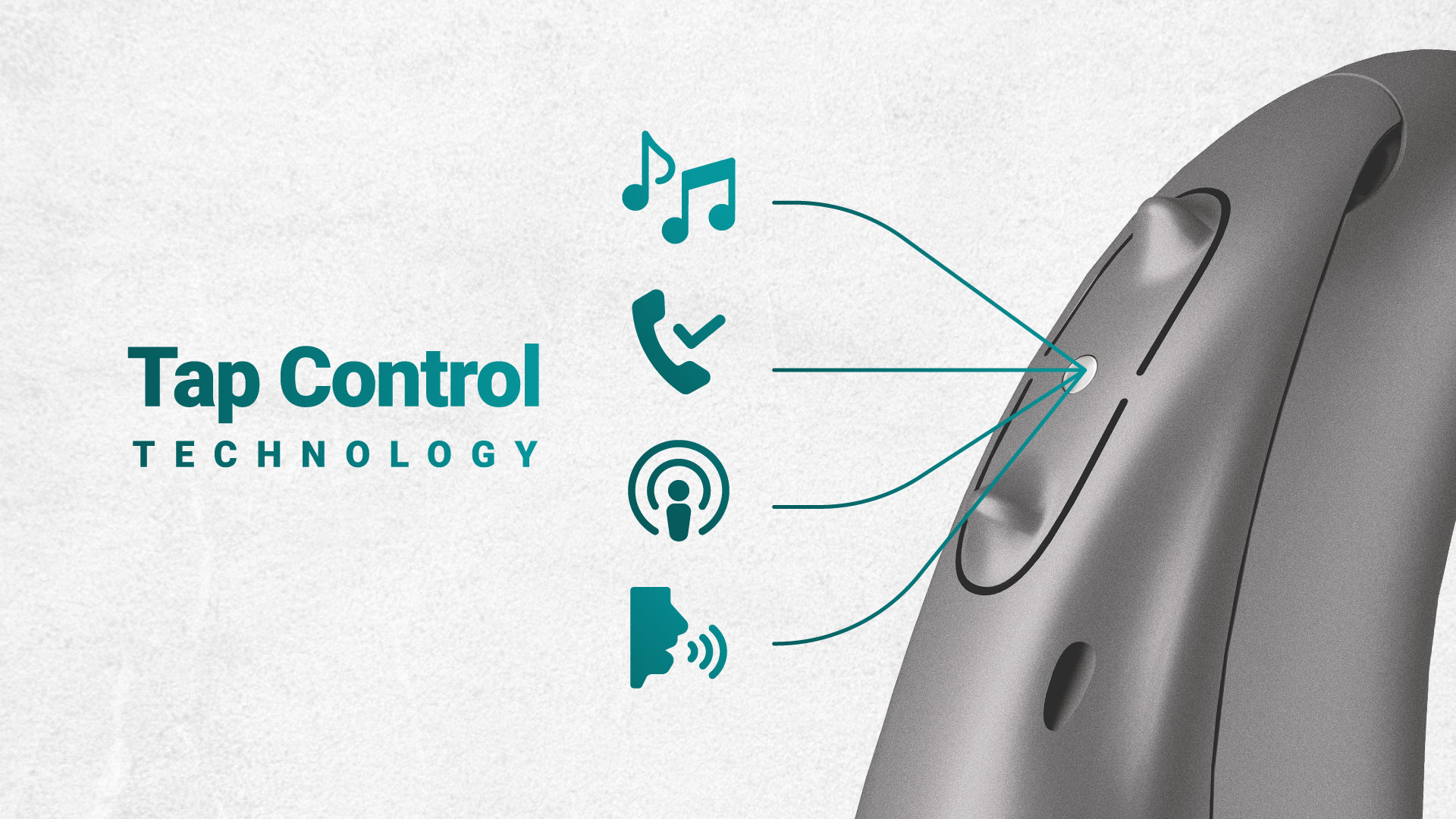
Today, hearing aids have evolved far beyond simple sound amplification devices. They have become intelligent assistants that integrate seamlessly with users’ digital lifestyles. One of the biggest challenges in wireless connectivity has been enabling users to control audio quickly and effortlessly without reaching for their smartphone or pressing the tiny physical buttons on the hearing aid.
To address this clinical and ergonomic challenge, Unitron introduced its innovative Tap Control feature. In this article from the Scientific Department of Hayat Medisa Teb, we examine the operating mechanism, clinical benefits, and role of this technology in Unitron’s latest hearing aid platforms based on the company’s official documentation.
How Does Tap Control Work?
According to Unitron’s technical documentation, Tap Control operates using a highly precise motion sensor known as an accelerometer. Integrated into rechargeable hearing aid models (such as R models), this sensor detects changes in acceleration and mechanical vibrations across three spatial axes.
When the user gently double-taps either the outer ear or the hearing aid itself, the accelerometer distinguishes this specific vibration pattern from ordinary head movements—such as walking or chewing—and interprets it as a command. The signal is then sent to the hearing aid’s Digital Signal Processor (DSP) for execution.
Three Key Applications of Tap Control in Everyday Life
Tap Control provides users with a new level of independence by allowing them to manage essential functions without using their smartphone.
1. Managing Phone Calls (Accept/End Calls)
Users can answer an incoming call with a simple double tap on their ear and end the conversation with another double tap. This feature is particularly useful while driving or whenever their hands are occupied.
2. Pausing and Resuming Audio Streaming (Pause/Resume Streaming)
While listening to music, podcasts, or watching videos, a quick double tap pauses the audio stream and another double tap resumes playback. This enables users to instantly reconnect with their surrounding environment whenever needed.
3. Accessing Voice Assistants
Tap Control also allows users to activate voice assistants such as Siri or Google Assistant. Voice commands are transmitted directly to the smartphone through the hearing aid’s microphones, enabling convenient hands-free operation.
Integration of Tap Control into Unitron’s Latest Platforms
Unitron continuously strives to package advanced technology into a simple, user-centered experience. In the company’s latest architectures—including the intelligent Smile and Vivante platforms, representing Unitron’s newest generation of signal processing—the sensitivity and accuracy of the accelerometer have been optimized for more reliable tap detection.
Clinical Significance from an Audiologist’s Perspective
From a clinical rehabilitation standpoint, Tap Control is more than just a premium convenience feature; it represents an adaptive assistive technology.
For many older adults and individuals with reduced finger dexterity due to conditions such as arthritis or hand tremors, locating and pressing the small physical buttons on hearing aids—such as Moxi models—can be difficult. Tap Control effectively eliminates this physical barrier, significantly improving hearing aid acceptance and overall user satisfaction within these patient populations.
Conclusion
Ultimately, the technologies incorporated into Unitron hearing aids, guided by the company’s philosophy of “Love the Experience,” are designed to help users reconnect with the world of sound in the most natural, intuitive, and effortless way possible.